
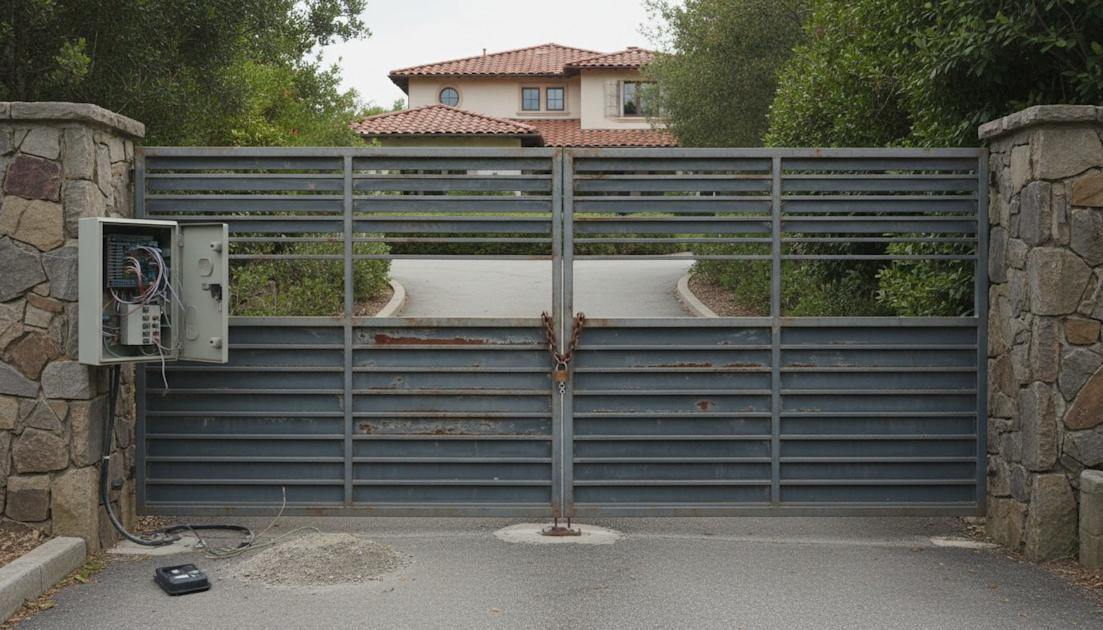


Quick Answer: Your automatic gate isn’t opening likely due to a power interruption, an obstruction blocking safety sensors, a remote/keypad malfunction, or a problem with the gate operator’s internal components. Begin by checking for power, clearing any visible obstacles around the gate’s path and photo-eyes, and replacing remote batteries.
Why Your Automatic Gate Isn’t Opening: Common Causes & Troubleshooting
When your automatic gate fails to open, it’s more than an inconvenience; it can disrupt your day and compromise security. As licensed gate installation and repair contractors in the Sacramento area (CA C-13 #1114559), we at DC Controls have seen every possible reason a gate might stop working. Most issues fall into a few common categories, ranging from simple fixes you can handle to complex problems requiring a professional.
Power Supply Issues
The most frequent culprit behind a non-responsive automatic gate is a lack of power. Without a consistent electrical supply, your gate operator simply can’t function.
- Circuit Breaker or Fuse: Check your main electrical panel for a tripped circuit breaker dedicated to the gate. If it’s tripped, reset it. For gates with an internal fuse (often found within the operator’s control board), consult your owner’s manual to locate and inspect it. A blown fuse indicates an electrical surge or a short, which might require further investigation.
- Power Outage: In Sacramento County, especially during high winds or Public Safety Power Shutoff (PSPS) events, power outages are a real possibility. Verify if other electrical devices on your property are working. If there’s a general outage, your gate won’t operate until power is restored. Many modern operators, like the LiftMaster LA500 or DoorKing 9100, feature battery backup systems, but these have limited lifespans and can drain during extended outages.
- Loose Wiring: Over time, vibrations or weather exposure can loosen electrical connections. Inspect the wiring leading to your gate operator for any visible damage or disconnections. Always exercise extreme caution when dealing with electrical components and consider calling a professional if you’re unsure.
Obstructions and Safety Device Activation
Automatic gates are equipped with sophisticated safety features designed to prevent injury and property damage. If these devices detect an obstruction, they will prevent the gate from operating. This is mandated by UL 325 safety standards, which govern automatic gate operators.
- Photo-Eyes (Photocells): These small sensors, typically mounted on posts or the gate itself, project an invisible beam across the gate’s opening. If anything breaks this beam – a car, a person, a pet, or even debris like leaves or spiderwebs – the gate will stop or reverse. Clean the lenses of your photo-eyes and ensure they are perfectly aligned and free from obstructions. Misalignment is a common issue we encounter.
- Sensing Edges: Some gates have pressure-sensitive edges installed directly on the gate frame. If these edges come into contact with an object, they signal the operator to stop or reverse. Check for any damage or persistent pressure on these edges.
- Physical Obstacles: Inspect the gate’s entire path for any physical obstructions. This includes large rocks, fallen branches, overgrown vegetation, or even debris that could jam the gate’s movement. For sliding gates, check the track for blockages. For swing gates, ensure nothing is impeding its arc.
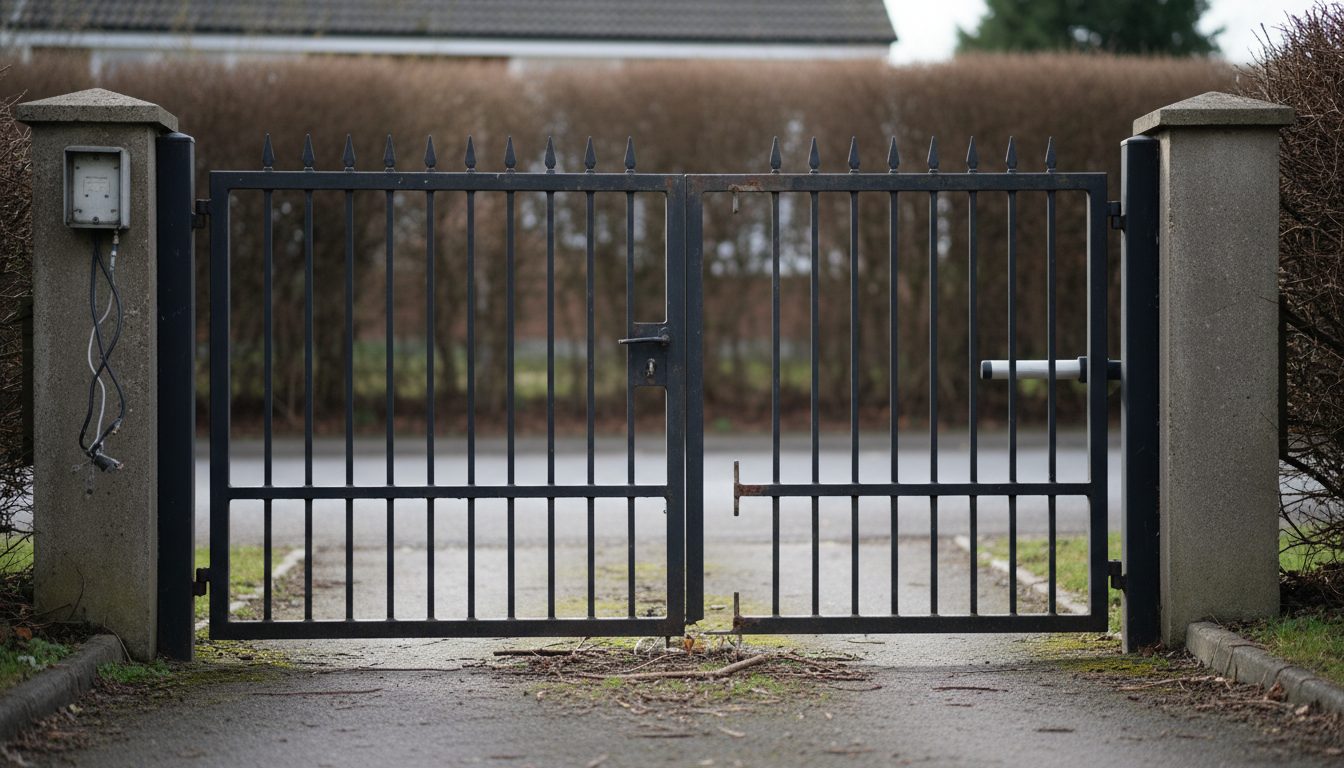
Remote Control, Keypad, and Access Control Device Issues
If the gate responds to other commands but not yours, the problem might be with your specific access device.
- Dead Batteries: This is a surprisingly common oversight. Replace the batteries in your remote control or wireless keypad. Many remotes use standard coin-cell or AAA batteries.
- Range Issues: Is the remote working from its usual distance? Sometimes interference or a weakening signal can reduce the effective range. Try operating the gate closer to the receiver.
- Programming Errors: Remotes or keypads can occasionally lose their programming, especially after a power surge or battery replacement. Consult your operator’s manual for instructions on how to reprogram your devices. For more complex access control systems like a DoorKing 1838 Telephone Entry system, reprogramming usually requires a technician.
- Antenna Problems: The gate operator’s antenna (often a small wire or rod extending from the control box) is crucial for receiving signals. Ensure it’s not damaged, bent, or obstructed.
Gate Operator Mechanical or Electrical Malfunction
When the simpler checks don’t resolve the issue, the problem often lies within the gate operator itself. These are typically more complex and require professional diagnosis.
- Motor or Gearbox Failure: The gate operator’s motor or internal gearbox can wear out over time, especially with heavy use or if the gate isn’t properly balanced. You might hear grinding noises or no sound at all from the operator.
- Control Board Issues: The control board is the “brain” of your gate system. It manages all commands and safety inputs. Power surges, moisture intrusion, or age can damage the board, leading to erratic behavior or complete failure. Many modern operators, like the HySecurity SlideDriver, have diagnostic LEDs on their boards to indicate specific errors.
- Limit Switch Problems: Limit switches tell the operator when the gate has reached its fully open or closed position. If these switches become misaligned or fail, the gate won’t know when to stop, or it might think it’s already open when it’s not.
- Hydraulic Leaks (for AC Hydraulic Operators): For heavy-duty AC hydraulic operators (common in commercial applications), hydraulic fluid leaks can reduce pressure, preventing the gate from moving. You might notice fluid stains around the operator.
DIY Troubleshooting Steps for a Non-Opening Automatic Gate
Before calling a professional, performing a few basic checks can often identify and resolve simple issues, saving you time and money. Always prioritize safety when inspecting your gate system.
Check for Power:
- Locate your gate’s dedicated circuit breaker in your main electrical panel. Is it tripped? Reset it.
- If your gate operator has a battery backup, check its status indicator. Is it fully charged, or has it drained?
- Confirm power to the outlet or junction box where the operator is connected using a voltage tester if comfortable.
- If there’s a general power outage, wait for power to be restored.
Inspect Safety Devices:
- Photo-Eyes: Visually inspect the lenses of both photo-eye sensors. Are they clean and free of dirt, spiderwebs, or debris? Gently wipe them with a soft cloth. Ensure they are aligned; a common sign of misalignment is one sensor’s indicator light being off while the other is on.
- Sensing Edges: Run your hand along any rubber sensing edges on the gate. Are they damaged, compressed, or stuck?
- Gate Path: Walk the entire path of the gate (both open and close directions). Remove any rocks, branches, trash, or overgrown plants that could impede movement or trigger a safety sensor.
Test Access Devices:
- Remote Control: Replace the batteries in your remote. Try operating the gate from different distances and angles.
- Keypad/Intercom: Test the keypad or intercom system. If it’s backlit, does the light come on? Try entering your code. If you have multiple codes, try a different one.
- Wired Push Button: If you have a wired push-button station, try using that to rule out wireless communication issues.
Listen and Observe:
- Does the operator make any sound when you try to open the gate? A hum, click, or grinding noise can provide clues. No sound at all often points to a power issue or a dead control board.
- Does the gate attempt to move even slightly? If it moves a little and then stops, it could indicate a mechanical binding or a limit switch problem.
- Manually operate the gate (if your operator allows for manual release). If the gate moves freely by hand, the issue is likely with the operator itself. If it’s stiff or binds, there might be a mechanical problem with the gate hardware (hinges, wheels, track).
The vast majority of gate issues we see in Sacramento can be traced back to power, photo-eyes, or remotes.
Understanding Gate Operator Types and Their Unique Failure Modes
The type of automatic gate operator you have can influence common failure points. DC Controls installs and services a wide range of operators, each with its own characteristics.
AC vs. DC Gate Operators
| Feature | AC (Alternating Current) Operators | DC (Direct Current) Operators |
|---|---|---|
| Power Source | Directly from mains power (120V or 240V). | Powered by batteries, which are charged by a transformer/rectifier. |
| Common Brands | Older DoorKing, some industrial LiftMaster (e.g., SL3000), HySecurity StrongArm | LiftMaster LA500, LA412, DoorKing 9150, Viking Access, Nice/Hy-O, FAAC, BFT, CAME |
| Duty Cycle | Often higher, designed for continuous or heavy use. | Generally lower, but modern DC operators can handle significant cycles. |
| Speed Control | Typically fixed speed. | Variable speed, often with soft start/stop for smoother operation. |
| Battery Backup | Rare, usually requires external UPS. | Standard, integrated battery backup for power outages. |
| Common Issues | Motor overheating, capacitor failure, direct power fluctuations. | Battery degradation, charger circuit failure, voltage drop over long wire runs. |
| Sacramento Note | Excellent for high-traffic commercial sites, but vulnerable to PSPS without generator. | Ideal for residential and light commercial, handles power outages well. |
Swing Gate Operators (e.g., LiftMaster LA412, DoorKing 9100)
Swing gate operators can be arm-style, ram-style, or underground.
- Arm/Ram Operators: Mechanical failure of the arm or ram mechanism (bent rods, worn gears) is common, as is motor failure.
- Underground Operators: Prone to water intrusion if seals fail, leading to motor or electrical damage. Also susceptible to debris accumulation.
- Hinge Issues: Heavy gates or poorly maintained hinges can put excessive strain on the operator, causing premature failure.
- Gate Sag: If the gate sags, it can bind against the ground or supporting posts, preventing movement.
Slide Gate Operators (e.g., LiftMaster Mega Slide, LiftMaster SL3000, HySecurity SlideDriver)
Slide gate operators use a chain or rack-and-pinion system to move the gate.
Chain or Rack Problems: A broken, rusted, or misaligned chain (or worn rack teeth) will prevent movement. The chain tension needs regular adjustment.
Wheel/Roller Issues: Worn, seized, or obstructed gate wheels (for V-track or cantilever gates) are a frequent cause of gates not moving. Dirt and debris can accumulate in the V-track.
Gate Binding: If the gate is out of alignment or the track is damaged, the gate can bind, putting immense strain on the operator.
Limit Switches: Slide gates rely heavily on limit switches to define open and close positions. These can become misaligned or fail.
“A gate’s smooth operation isn’t just about the opener; it’s about the entire mechanical system working in harmony.”
Sacramento-Specific Considerations for Automatic Gate Maintenance
The Central Valley climate and local conditions in Sacramento can impact your automatic gate’s performance and longevity.
- Extreme Heat: Our hot summers can stress electrical components, accelerate battery degradation in DC operators, and cause lubricants to break down. Plastic parts can become brittle. Ensure your control box has adequate ventilation and consider a shaded location for the operator if possible during installation.
- Rain and Moisture: Winter rains can lead to water intrusion in control boxes, damage underground wiring, and cause rust on mechanical components, especially if drainage is poor. We frequently see issues with photo-eyes and other sensors due to moisture.
- Power Reliability: As mentioned, PSPS events and general grid instability can impact gate operations. A robust battery backup system (for DC operators) or a reliable generator connection (for AC operators) is crucial for uninterrupted access.
- Dust and Debris: The Sacramento area can experience significant dust, particularly during dry seasons. This dust can accumulate in tracks, on photo-eye lenses, and inside operator housings, leading to wear and tear or sensor malfunctions. Regular cleaning is essential.
- Vegetation Growth: Fast-growing vegetation can quickly obstruct photo-eyes or physically impede gate movement, especially during spring and fall.
When to Call a Professional Gate Contractor
While basic troubleshooting can resolve many minor issues, there are clear indicators that it’s time to call a licensed professional like DC Controls. Attempting complex repairs yourself can be dangerous and may void warranties.
Situations Requiring Professional Help:
- Electrical Work Beyond Basic Checks: If you suspect a problem with the gate’s dedicated circuit, the control board, or internal wiring, a licensed electrician or gate technician is required. Incorrect wiring can cause serious injury or further damage.
- Mechanical Failure of the Operator: If the motor is grinding, making unusual noises, or not moving the gate at all, and you’ve ruled out power issues, the internal components of the operator likely need repair or replacement. This often involves specialized tools and knowledge.
- Gate Binding or Physical Damage: If the gate itself is binding, sagging, or has visible damage (bent frames, broken hinges, damaged tracks), it needs mechanical repair. For large, heavy gates (especially custom designs or those adhering to ASTM F2200 standards for automated vehicular gates), proper repair is crucial for safety and longevity.
- Persistent Safety Device Malfunctions: If photo-eyes or sensing edges repeatedly fail or are difficult to align, there might be an underlying issue with the wiring, the sensor itself, or the control board’s input. Ensuring these critical safety features work correctly is paramount for UL 325 compliance.
- Intermittent Problems: A gate that works sometimes but not others can be the most frustrating. These “ghost” problems often point to complex electrical issues, failing components, or subtle wiring faults that require diagnostic expertise.
- Programming or Advanced Access Control Issues: If you’re struggling to program new remotes, integrate a new access control device, or troubleshoot a complex intercom system like a DoorKing 1838, a technician can quickly resolve these issues.
- Water Intrusion or Pest Damage: Visible signs of water damage, rust, or evidence of pests (rodents chewing wires, insect nests) within the control box or operator housing warrant immediate professional attention.
Why Choose a Licensed Contractor Like DC Controls?
As a CA C-13 licensed contractor (#1114559), DC Controls brings expertise and adherence to industry standards.
- Safety Compliance: We ensure all repairs and installations meet current UL 325 safety standards and local codes, including CA Title 24 where applicable for commercial or multi-family properties. This protects users and ensures your liability is minimized.
- Expert Diagnosis: Our technicians are trained to diagnose complex issues quickly and accurately, often identifying problems that seem unrelated to the symptom.
- Proper Tools and Parts: We have access to specialized diagnostic tools and genuine replacement parts for all major brands, including LiftMaster, DoorKing, HySecurity, Viking Access, Nice/Hi-O, FAAC, BFT, and CAME.
- Warranty Protection: Professional repairs often come with warranties on parts and labor, providing peace of mind. Attempting DIY repairs on complex components can void manufacturer warranties.
- Preventative Maintenance: Beyond repairs, we offer preventative maintenance plans tailored to the Sacramento climate and your gate’s usage, helping to avoid future breakdowns.
Frequently Asked Questions
How much does it cost to repair an automatic gate?
The cost of automatic gate repair in the Sacramento area varies widely, typically ranging from $250 for minor adjustments or sensor replacements to over $1,500 for major component failures like a new motor or control board. A standard service call, including diagnosis, usually starts around $150-$250, not including parts or extensive labor.
Can I convert my existing manual gate to an automatic one?
Yes, in many cases, a sturdy, well-built manual gate can be automated. This involves installing an appropriate gate operator, safety devices (photo-eyes, sensing edges), and access controls. We’ll assess your gate’s structure, weight, and swing/slide characteristics to recommend the best operator for your specific needs, ensuring it meets UL 325 safety standards.
How often should my automatic gate be serviced?
We recommend professional preventative maintenance at least once a year for residential gates and twice a year or more for high-traffic commercial gates. Regular servicing helps identify potential issues before they cause breakdowns, extends the life of your operator, and ensures all safety features are functioning correctly.
What is the lifespan of an automatic gate opener?
The lifespan of an automatic gate opener typically ranges from 7 to 15 years, depending on the quality of the unit, its duty cycle (how often it’s used), and how well it’s maintained. Heavy-duty commercial operators like the HySecurity SlideDriver are designed for longer lifespans under intense use compared to typical residential units.
My gate opens but won’t close, or vice versa. What could be wrong?
If your gate moves in one direction but not the other, it often points to an issue with the limit switches that define the open and closed positions. It could also be a problem with one specific safety sensor (like a photo-eye) that’s only activated or obstructed in one direction, or a control board issue affecting a specific relay.
Is it safe to manually open my automatic gate if it’s broken?
Most automatic gate operators have a manual release mechanism (often a key or lever) that allows you to disengage the operator and open the gate by hand during a power outage or malfunction. Always consult your owner’s manual for the correct procedure, and ensure the gate can be safely moved without excessive force once released.
Need Automatic Gate Repair in Sacramento? Contact DC Controls.
When your automatic gate isn’t opening, it’s more than an inconvenience – it’s a security concern. For reliable, professional gate repair and maintenance services in Sacramento and the surrounding areas, trust the licensed experts at DC Controls. With our CA C-13 contractor license #1114559, we bring unparalleled experience and expertise to every job, ensuring your gate system operates safely and efficiently. Don’t let a malfunctioning gate compromise your property’s access or security; contact us today for a diagnosis and solution.

